Find Google Drive Folder ID
· One min read

To find a Google Drive Folder ID, follow these steps:
Method 1: From the URL
- Open Google Drive (drive.google.com).
- Navigate to the folder you want.
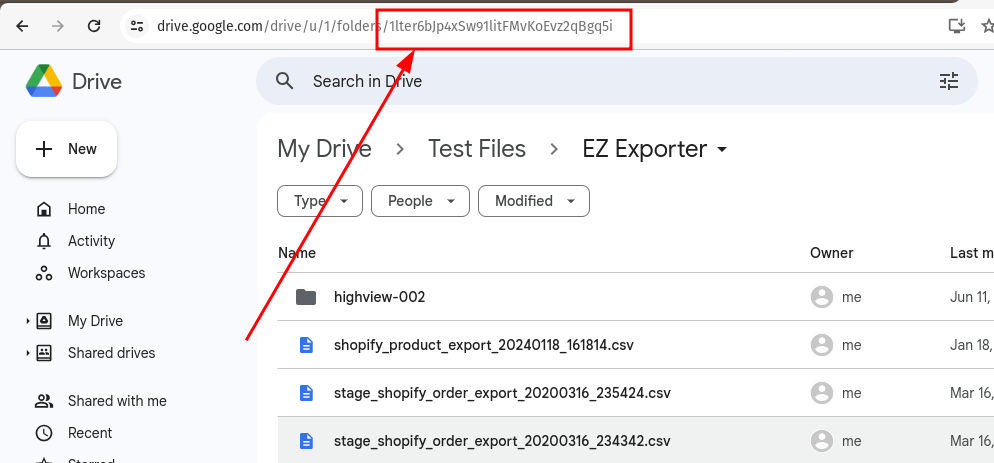
- Look at the URL in your browser. It will be in the format:
https://drive.google.com/drive/folders/FOLDER_ID - The FOLDER_ID is the part after
/folders/.